
How Fletaro works
With Fletaro you go from order to first trip in about 3 to 5 working days: you sign up, get access to the dashboard, a certified technician installs the device in 20-30 minutes per vehicle and the first position arrives within minutes. On every tachograph plan, the fee starts with the device's first connection.
From order to first trip
Five steps, each with its real lead time. You just choose a plan; we take care of installing and configuring the device.
- Step 1
Order: choose a plan and sign up
Sign up for Fleet GPS, Pro or Total online, or we prepare a quote by phone if you run lorries or a large fleet. You pay the device and installation once per vehicle: €120 (€299 on Fleet Total), excl. VAT. The device is yours.
Lead time: Day 0
- Step 2
Dashboard access
We email you the link to create your password and log in to the dashboard. A setup assistant helps you review your vehicles and prepare the first alerts while installation is on its way.
Lead time: Within 1 working day
- Step 3
Device installation
We call you to book a certified technician, who comes to your depot and wires the device to the vehicle's power supply in a discreet spot, with no permanent modifications. With more than 20 vehicles, we plan it over several sessions so your operations keep running.
Lead time: Appointment in 1-2 working days · 20-30 min per vehicle
- Step 4
First position and first trip
As soon as the device has power and coverage, the first position arrives within minutes and the vehicle appears on the map. The first journey with the ignition on is recorded as a trip, with its route and mileage.
Lead time: Minutes after installation
- Step 5
Alerts, geofences and team
You set up speed and geofence alerts, ITV (roadworthiness test) and insurance expiry dates and your team's users. We call you in the first week and after a month to check everything works, and WhatsApp support carries on after that.
Lead time: First week
Do you rent out vehicles? With Fleet Pro and Fleet Total you create your first booking from day one: the customer signs the contract, does the photo inspection and picks up the vehicle from their phone. Car rental software →
Lorries with a tachograph
From order to first tachograph download
Remote tachograph download starts at €5.90 per vehicle per month + VAT, on the Tachograph Download plan. The fee starts with the device's first connection, on every plan.
Data and tachograph
You send us the registration plates and tachograph model. We check that it is compatible before you sign up.
Company card
You request an additional card for the download. Yours stays with you.
Installation
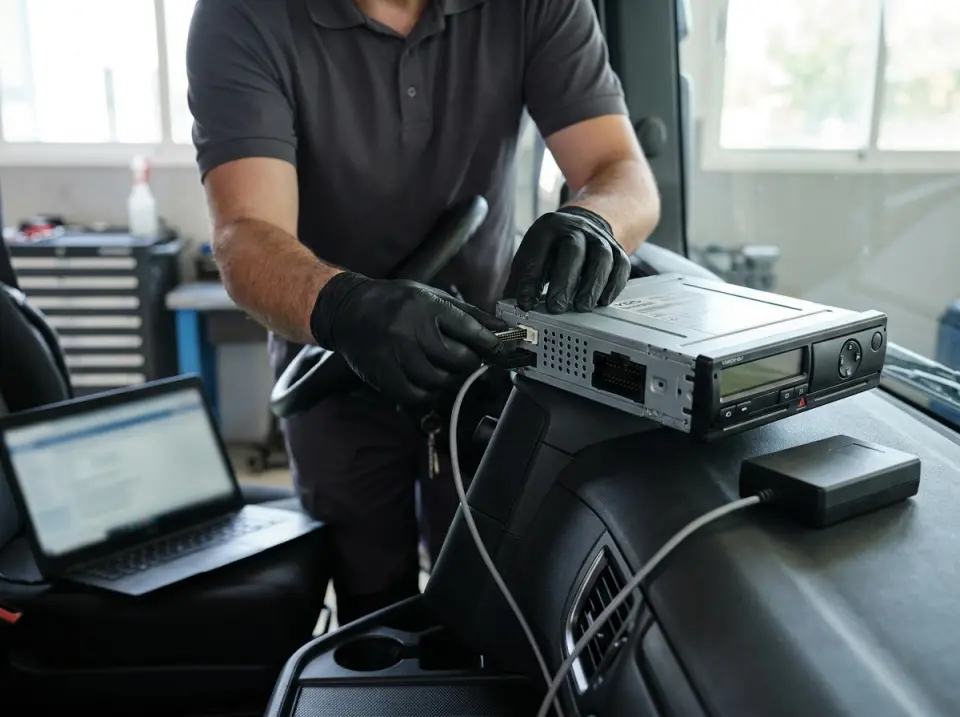
A certified technician installs it. If your tachograph needs remote download activating, an authorised technical centre does it. The fee starts with the device's first connection.
First download
We check that the first file arrives and that it belongs to your vehicle.
Up and running
Automatic downloads, alerts before each deadline and access for your accounting firm.
Lead times and costs at a glance
| Step | Lead time | Cost |
|---|---|---|
| Order and setup payment | Day 0 | Device and installation: €120 per vehicle (€299 on Fleet Total), once, excl. VAT |
| Dashboard access | Within 1 working day | Included |
| Installation appointment | 1-2 working days | Included in the setup fee |
| Installation | 20-30 min per vehicle | Included in the setup fee |
| First position on the map | Minutes after installation | Included in the fee |
| Monthly fee per vehicle | Every month | Fleet GPS €10 VAT included; Fleet Pro €21.90 and Fleet Total €34.90 + VAT; tachograph from €5.90 + VAT |
Usual total, from order to the vehicle on the map: 3 to 5 working days.
No surprises. No fine print.
One-time setup: the device is yours
€120 per vehicle, one-time (€299 on Fleet Total): covers the GPS device, installation by a certified technician and the SIM. The monthly fee covers software, connectivity and support.
Professional installation
A certified technician installs the hardware in your vehicles. You don't have to do anything technical.
Device with a 24-month warranty
If the device fails under normal use, we repair or replace it, with the technician's labour included.
No commitment after 12 months
Once the commitment period ends, you continue month-to-month and can cancel anytime with no penalty. If you cancel, the device stays with you and we simply deactivate the line.
Frequently asked questions about getting started
How long does it take for Fletaro to be up and running?
Usually 3 to 5 working days from sign-up. Dashboard access arrives within one working day, the technician appointment is set within 1-2 working days and installation takes 20-30 minutes per vehicle. The vehicle appears on the map minutes after installation.
Who installs the device?
A certified technician, at your depot, in 20-30 minutes per vehicle: the device is wired to the vehicle's power supply and left in a discreet spot, with no permanent modifications. On lorries, if the tachograph needs remote download activating, an authorised technical centre does it.
How much does setup cost?
Device and installation are paid once per vehicle: €120 on Fleet GPS and Fleet Pro and €299 on Fleet Total, excl. VAT. It covers the device, which you own, the SIM and installation by a technician. After that you pay the monthly fee: Fleet GPS costs €10 a month VAT included and remote tachograph download starts at €5.90 + VAT.
When does the fee start on the tachograph plans?
On every tachograph plan (Tachograph Download, Transport Tachograph and Enterprise), with the device's first connection: from the moment the installed device sends its first position to the dashboard. Before that, we check tachograph compatibility with you and you request the additional company card for the download.
Do I have to install or configure anything myself?
Nothing technical. You log in to the dashboard with the link we send you, review your vehicles and choose which alerts you want. Drivers do not need to install any app for their vehicle to show on the map.
Get started now
Schedule a 15-minute demo and we'll show you how Fletaro works with your vehicles. No commitment.
Updated on